- Python 96.2%
- JavaScript 1.9%
- HTML 1.1%
- CSS 0.5%
- Shell 0.2%
| Filename | Latest commit message | Latest commit date |
|---|---|---|
 a89a9b94e4
Some checks failed
test-suite / Test (SQLite) (push) Failing after 5s
test-suite / Test (SQLite)-2 (push) Failing after 5s
test-suite / Test (MySQL) (push) Failing after 2s
test-suite / Test (MySQL)-1 (push) Failing after 2s
test-suite / Test (MySQL)-2 (push) Failing after 2s
test-suite / Test (PostgreSQL) (push) Failing after 17s
test-suite / Test (PostgreSQL)-1 (push) Failing after 17s
test-suite / Test (SQLite)-1 (push) Failing after 5s
test-suite / Test (PostgreSQL)-2 (push) Failing after 17s
test-suite / Deploy Docker Image (push) Has been skipped
Build(deps): Bump sqlparse from 0.5.5 to 0.6.0 |
||
| .agents | ||
| .claude | ||
| .github | ||
| bin | ||
| docs | ||
| evennia | ||
| .flake8 | ||
| .gitignore | ||
| .release.sh | ||
| AGENTS.md | ||
| CHANGELOG.md | ||
| CLAUDE.md | ||
| CODE_OF_CONDUCT.md | ||
| CODING_STYLE.md | ||
| CONTRIBUTING.md | ||
| Dockerfile | ||
| INSTALL.md | ||
| LICENSE.txt | ||
| Makefile | ||
| pyproject.toml | ||
| README.md | ||
| SECURITY.md | ||
| setup.py | ||
| uv.lock | ||
Evennia MUD/MU* Creation System 



Evennia is a modern library for creating online multiplayer text games (MUD, MUSH, MUX, MUCK, MOO etc) in pure Python. It allows game creators to design and flesh out their ideas with great freedom.
Evennia does not impose a particular style, genre or game mechanic. Instead it solves the boring networking and basic stuff all online games need. It provides a framework and tools for you to build the game you want. Coding in Evennia is done using normal Python modules imported into the server at runtime.
Evennia has extensive documentation. It also has a very active community with discussion forums and a discord server to help and support you!
Installation
pip install evennia
    (windows users once: py -m evennia)
    (note: Windows users with multiple Python versions should prefer `py -3.11` instead of `python` when creating virtual environments)
evennia --init mygame
cd mygame
evennia migrate
evennia start / stop / reload
See the full installation instructions for more help.
Next, browse to http://localhost:4001 or use your third-party mud client to
connect to localhost, port 4000 to see your working (if empty) game!
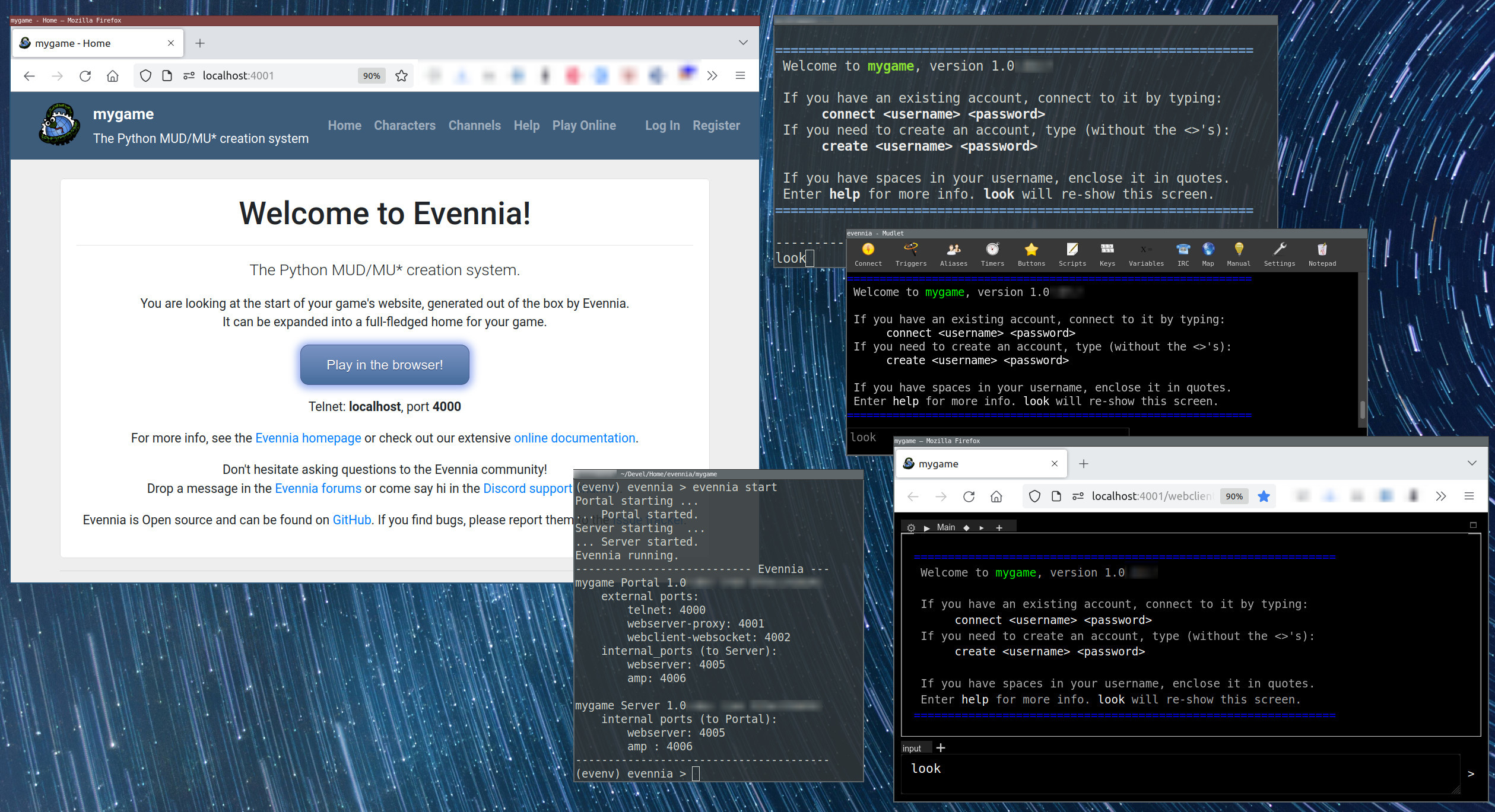 A game website is created automatically. Connect to your Evennia game from your
web browser as well as using traditional third-party clients.
A game website is created automatically. Connect to your Evennia game from your
web browser as well as using traditional third-party clients.
Where to go next
If this piqued your interest, there is a lengthier introduction to read. You can also read our Evennia in pictures overview. After that, why not check out the Evennia Beginner tutorial.
Welcome!